Network Point, Access Point and Switch Installation in Cape Town
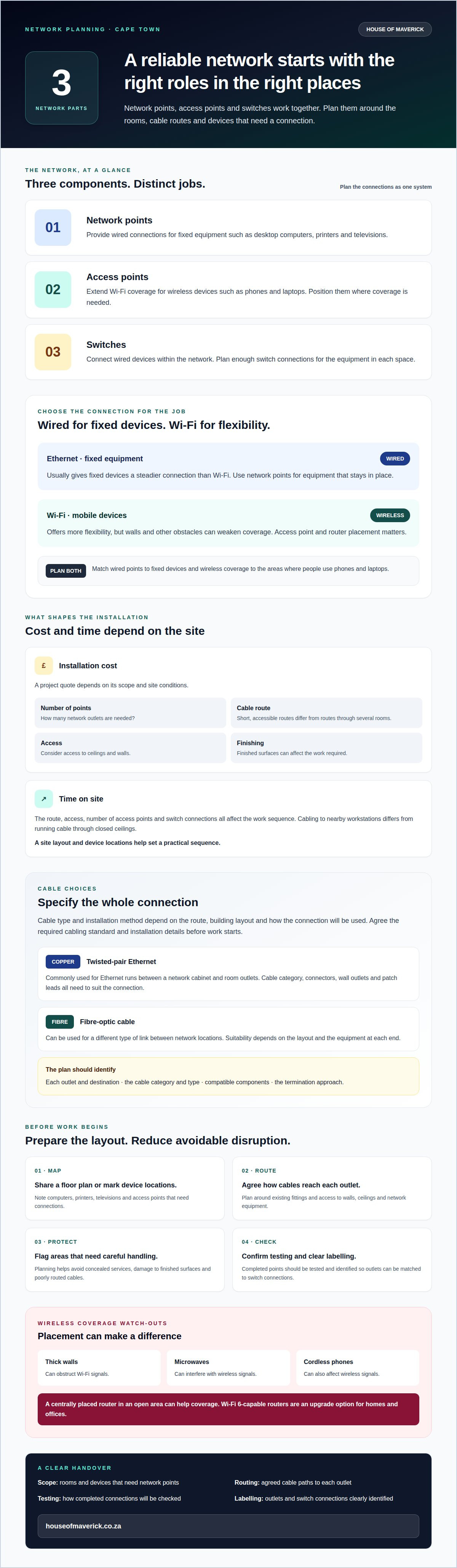
Good Wi-Fi starts with a network that is planned around the space. Network point installation in Cape Town brings wired network points, access points and switches together so devices can connect at home or work. Each has a distinct role: network points provide wired connections, access points extend wireless coverage, and switches connect devices within the network.
Weak signals, untidy cabling or too few connection points can disrupt everyday work. The cause may be a poorly positioned access point, too few network points or a lack of switch connections for equipment. Understanding how the components work together makes it easier to plan an installation for the space.
This guide explains how access points and switches fit into a network, what affects the layout and which practical details to consider before installation. Whether you are planning a home, office or retail space, the aim is to match the setup to the rooms and the devices people use.
Table of Contents
Access point and switch installation
An access point extends Wi-Fi, while a switch connects wired devices. Their placement and connections affect how a home or workplace network performs.
Choosing a Cape Town installer
For a reliable installation, plan cable routes, outlet positions and switch connections before work begins. Confirm which devices need wired connections and how each completed point will be tested. A clear scope helps prevent missed outlets and unexpected changes to the route.
Ethernet usually gives fixed devices a steadier connection than Wi-Fi. Wi-Fi is more flexible, but walls and other obstacles can weaken coverage. Plan for both: use wired points for devices that stay in place, and position access points to provide wireless coverage where it is needed.
Installation costs and timing
The cost depends on the number of network points, cable routes, access to ceilings or walls, and the finishing required. A short, accessible route differs from cabling through several rooms or finished surfaces. Each project needs a quote based on its scope and site conditions.
The time required on site also depends on the route, access and number of access points and switch connections. A clear route from a switch to nearby workstations involves different work from cabling through closed ceilings. A site layout and device locations help set a practical work sequence.
Cabling standards and cable types
Network point installations use Ethernet cabling to connect devices to a switch or router. The right cable type and installation method depend on the route, the building layout and how the connection will be used. In South Africa, agree the required cabling standard and installation details before work starts.
Wired points suit fixed equipment such as desktop computers, printers or televisions. Access points provide wireless connections for phones and laptops, while a switch links several wired devices. Wi-Fi 6-capable routers are an upgrade option for homes and offices. Positioning a router centrally and in an open area can help coverage.
Installation risks and preparation
Common risks include drilling into concealed services, damaging finished surfaces and leaving cables poorly routed. Thick walls can obstruct Wi-Fi, and nearby microwaves or cordless phones may interfere with wireless signals. Planning the route helps avoid clashes with existing fittings and keeps cabling orderly.
Before installation, provide a floor plan or mark where computers, printers and access points need connections. Arrange access to the relevant walls, ceilings and network equipment, and point out areas that need careful handling. This helps plan cable routes and equipment positions while reducing disruption.
Which Cape Town companies install Ethernet and network points?
In Cape Town, network point installation can be part of a wider office or home upgrade. The scope may be a single point in a study or wired connections across several rooms. House of Maverick provides Networks, including network reticulation, alongside office and home remodelling.
For network point installation in Cape Town, plan the cable routes, outlet positions, switch and any access points. Each connection should be tested and identified after installation. In a small office, for example, labelled points make it easier to match desks and printers to the correct switch connections.
Before work starts, share the number and location of devices that need wired connections, including computers, printers, televisions and access points. This helps set outlet positions and cable routes. If wireless coverage is also needed, discuss access point positions. A router in an open, central location can help maximise Wi-Fi coverage.
Scope: confirm which rooms and devices need network points.
Routing: agree how cables will reach each outlet.
Testing: establish how completed connections will be checked.
Handover: request clear labelling for outlets and switch connections.
Wi-Fi 6 routers are an upgrade option for Cape Town homes and offices. The installer’s plan should account for both wired equipment and wireless users, rather than treating them as separate systems. Thick walls, microwaves and cordless phones can affect wireless signals, so placement matters.
For a workplace refurbishment, coordinating cable routes with room changes can help avoid rework. A considered network installation plan brings device locations, cabling and the finished layout into one practical scope.
What cabling standards and cable types are used for network point installation in South Africa?
Ethernet cabling connects network points to a switch, router or other network equipment. A cabling standard sets out how cable, connectors and terminations should work together. For a South African home or office, the installation plan should specify the cable category, outlet type and termination approach. That gives the installer a clear basis for selecting compatible parts.
Copper twisted-pair cable is commonly used for Ethernet runs between a network cabinet and room outlets. Category labels identify cable types, but the label alone does not describe the whole installation. Connectors, wall outlets and patch leads must also suit the cable. For example, the desk outlet and its switch connection need compatible terminations.
Fibre-optic cable can be used for a different type of link between network locations. Its suitability depends on the layout and the equipment at each end. A small office with nearby workstations may have different requirements from a building with separate network areas. The route, connection points and equipment inform the cable choice.
Identify each link: note the outlet, destination and connected equipment.
Specify the cable: record its category and type in the installation plan.
Match components: align outlets, connectors and patch leads with that cable.
Label connections: mark both ends so each route is easy to trace.
A reliable installation also depends on the physical route. Cables need support and protection from crushing, sharp bends and damage during building work. A route through a ceiling, wall or cabinet affects the materials and termination method. Organised, identifiable cabling makes later changes easier.
Before installation, map the intended points and equipment. A printer, desktop computer and access point may each need a different outlet location. Record those destinations alongside the selected cable and termination details. This gives the installer a practical schedule for fitting and testing each connection without relying on assumptions.
How long does network point installation usually take?
The schedule depends on the number of points, cable routes and building access. One outlet beside an accessible network cabinet involves fewer stages than connections across several rooms. Installation also includes setup, cable runs, outlet fitting and testing, not just work at each wall.
Route conditions matter. An open ceiling can make cable access straightforward, while a finished ceiling may require careful routing and making good. Wall materials, furniture, existing services and distances between equipment also affect the sequence. In a Cape Town office, network point installation can be coordinated with refurbishment work.
Equipment adds another planning consideration. Ethernet outlets and a switch need connections that are organised and tested together. Adding access points means deciding where they will go and how they will connect to the network. Confirm device locations before cable routes are underway to avoid layout changes.
The installation process typically follows a defined sequence:
Plan: map each outlet, device and route before work begins.
Prepare: arrange access to ceilings, walls and network equipment.
Install: route cables, fit outlets and connect network equipment.
Test: check each connection and label its destination.
Testing and finishing belong in the work schedule. A point for a printer needs a completed connection and clear identification, not just a fitted wall outlet. Restricted access, occupied rooms or additional finishing can affect the sequence. A room-by-room plan helps organise work around business operations.
To plan network point installation in Cape Town, prepare a floor plan showing devices, rooms and access restrictions. This gives the installer useful detail for scheduling the work and identifying dependencies. Arrange network installation planning around your building layout and connection requirements.
House of Maverick
House of Maverick can coordinate Networks with office or home remodelling. This is useful when new network points need to suit a changed room layout or when cable routes affect walls and ceilings. Planning these tasks together helps account for access and finishing.
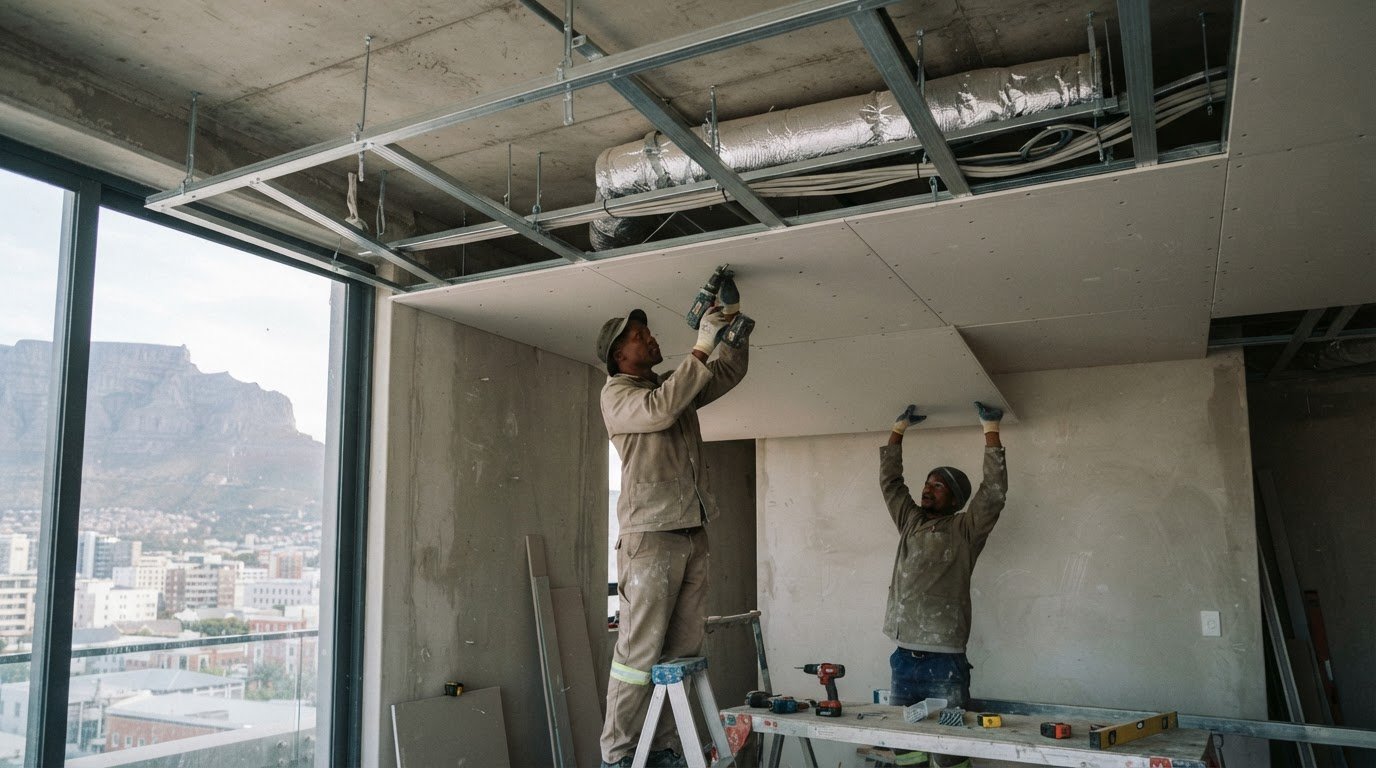
A new office layout, for example, may require revised desk positions, cable routes and wall finishes. Dry Wall and Ceilings can form part of the wider project, while Painting can address affected surfaces. House of Maverick also provides Air-conditioning, which can be coordinated with the room plan.
If your network installation is part of a refurbishment, contact House of Maverick to discuss the space and the work you need.
Plan a network that can grow with your space
Plan connectivity around how the space may be used over time. Consider how desks, shared equipment and room functions could change, then position network points to suit. For network point installation in Cape Town, planning ahead can help avoid unnecessary changes when a workspace is reorganised.
House of Maverick can include Networks in a wider property project. Office Remodelling supports workplace layout changes, while Painting and Air-conditioning address other practical parts of the environment. Coordinating these requirements helps define the project scope and align the work with how the space will be used.
Share your project requirements and discuss a suitable next step with House of Maverick. Contact House of Maverick to talk through your plans and move towards a network setup that fits your space.
Frequently Asked Questions
What does network point installation in Cape Town include?
In Cape Town, network point installation involves planning wired connection locations, running and terminating data cabling, and fitting network outlets. Depending on the layout, outlets can also connect to a switch or access point. For example, a reception desk may need wired connections for a computer and printer, with wireless access for nearby mobile devices.


Comments